

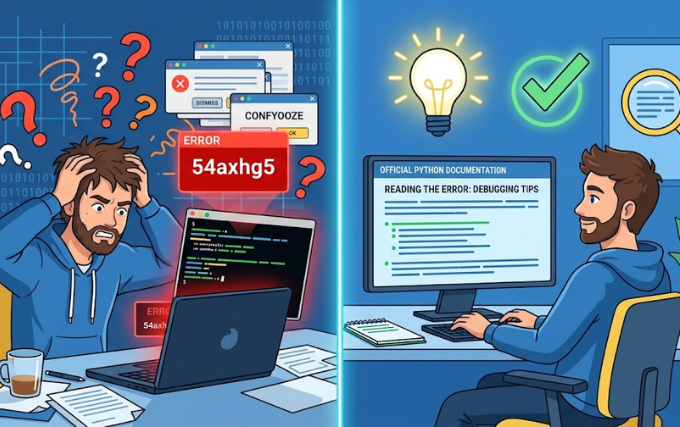
You might have stumbled across the term Python bug 54axhg5 and found yourself lost in a maze of confusing information. Some articles describe it as a mysterious error, others call it a version identifier, and a few treat it as a concurrency problem. None of these descriptions match what the official Python documentation contains, because the documentation contains no reference to this term at all .
The Reality Behind the Name
The identifier “54axhg5” does not appear in the official Python bug tracker. It shows up nowhere in the CPython release notes. You will not find it in any standard library documentation or on the Python Package Index . This string follows no known pattern for Python versions, error codes, or module names.
How did this term gain traction? A well-established pattern in content creation involves generating plausible-sounding technical terms. The formula combines a recognizable technology name like “Python” with an alphanumeric string that looks like a build ID or ticket number. From late 2025, articles began appearing that treated this fabricated term as a genuine issue .
What the String Might Actually Represent
If you genuinely encountered “54axhg5” in a terminal output or log file rather than in a web article, a rational explanation exists. Build pipelines, CI/CD systems, virtual environment managers, and logging tools routinely generate random-looking hashes to track runs, environments, or sessions .
Consider these common scenarios where such strings legitimately appear:
- A temporary execution ID from a containerized Python process
- A short hash generated by automated testing tools like GitHub Actions or Jenkins
- A disposable directory name created during Python execution
- An internal reference from a computational biology project that generated the code from a core dump file
The key distinction matters greatly. Seeing a string like this in a real log is usually harmless. However, no legitimate source ties that specific string to a named Python issue or feature.
Real Problems Often Mistaken for This Phantom Bug
Many articles that mention “54axhg5” actually describe genuine Python challenges. Developers often encounter these real issues and mistakenly attribute them to this fictional label .
Dependency and Environment Conflicts
Applications depend on specific versions of external packages. When those versions conflict, runtime failures appear. Two packages might require incompatible versions of the same dependency. A network interruption during installation could leave a package partially installed. Corrupted cache files or stale bytecode directories might conflict with updated source code.
These problems produce frustrating errors that seem to come from nowhere. Yet they have nothing to do with any mythical bug identifier.
Concurrency and Threading Issues
Multithreaded Python presents particular challenges because of the Global Interpreter Lock. This lock allows only one thread to execute Python bytecode at a time. It prevents true parallel execution of pure Python code, but it does not protect operations that involve multiple steps or external resources .
Two threads can still read and write shared data in a conflicting order if access lacks proper synchronisation. Race conditions emerge. Async and synchronous code can conflict. The application continues running but delivers inconsistent results, making these bugs especially hard to trace.
Memory Management Failures
Circular references can defeat Python’s garbage collector. Long-running processes might develop memory leaks. These issues cause unpredictable behaviour that developers often struggle to diagnose.
Practical Troubleshooting Steps
Rather than chasing a phantom term, focus on systematic debugging methods that address real problems .
Reproduce the Issue First
Without reliable reproduction, every fix remains speculation. Test with the exact Python version where the problem appears. Execute the script using the same input data. Maintain the same environment, whether virtual environment, Docker image, or operating system. Record when the error occurs, whether on start-up, after a specific action, or randomly.
Gather Diagnostic Information
Collect any traceback or error output. Note log entries from the time of the error. List all installed libraries with their versions. Record details about the Python version and environment. Document any recent changes that could have precipitated the problem.
Create a Minimal Reproducible Example
This technique proves most effective for isolating the source. Remove irrelevant logic and dependencies from the problematic code section. Substitute actual input with simple test values. Continue testing until only the necessary lines remain .
Fixing Common Environmental Issues
When environment problems trigger failures, several straightforward solutions exist.
Delete and recreate your virtual environment from scratch. This clears any corrupted installations or conflicting dependencies. Clear all compiled Python cache files using find commands to remove pycache directories and .pyc files. Upgrade your installation tools before reinstalling dependencies .
Use pip check to identify conflicting packages. If conflicts exist, pin specific versions in your requirements file and rebuild the environment. These steps resolve many mysterious failures that developers might otherwise attribute to an unknown bug.
Addressing Concurrency Problems
For threading issues, implement proper synchronisation. Use threading.Lock() to protect shared data in multithreaded code. Apply asyncio.Lock() within async code. Add structured logging at key points to trace execution order.
Understanding these patterns helps you diagnose intermittent failures that appear to strike randomly.
Recognising Fabricated Technical Terms
How can you tell when a technical term lacks legitimacy? Several reliable signals exist. No results appear in official documentation. Stack Overflow threads do not predate the SEO articles. GitHub issues and commit messages contain no mentions. Multiple articles describe the term differently while claiming certainty .
The term Python bug 54axhg5 checks every one of these boxes. The entire history of the term leads back to generated articles with no verifiable origin.
Moving Forward with Confidence
Instead of fixating on imaginary bugs, focus on mastering core Python concepts. Learn how to read official documentation effectively. Build solid debugging habits that address actual problems.
When you encounter unfamiliar terms, verify them against official sources. Check the Python bug tracker. Consult the CPython release notes. Review the standard library documentation. These resources contain the genuine information you need.
The Python ecosystem offers tremendous power and flexibility. It also presents real challenges that require careful attention. Understanding the difference between genuine issues and manufactured confusion saves countless hours of wasted effort.
Your time serves you better when spent mastering actual debugging techniques, not chasing phantom errors that exist only in generated content. Focus on reproducible problems, gather real diagnostics, and apply systematic troubleshooting methods. That approach produces results every time.
Conclusion
The term Python bug 54axhg5 does not correspond to any real issue in the official Python ecosystem. It appears exclusively in generated content that repackages common programming challenges under a fabricated identifier. Real problems like dependency conflicts, threading issues, and memory management failures deserve your attention instead. These genuine challenges have clear diagnostic paths and proven solutions.
When you encounter unfamiliar technical terms, verify them against official sources like the Python bug tracker, release notes, and documentation. Trust those authoritative references over vague online articles. Develop systematic debugging habits that focus on reproducible errors and concrete evidence. This practical approach saves time and delivers actual results. The Python community offers extensive resources for every authentic problem you might face. Use them wisely and ignore the noise.
