

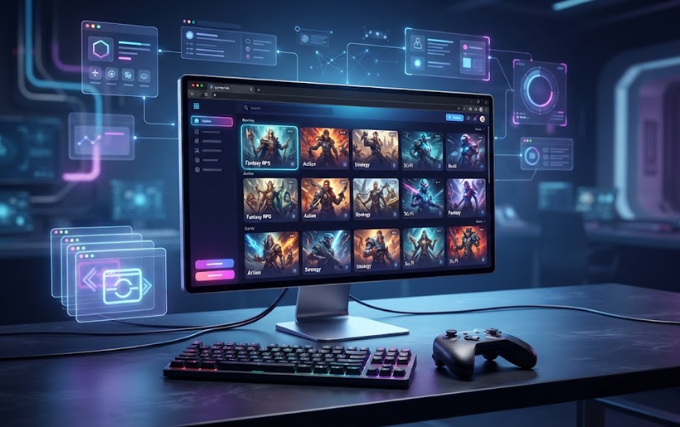
Unbanned G+ has become a familiar term among people who look for quick browser-based games, especially on devices connected to restricted networks. Despite the name, it does not represent an official Google product or a new version of Google+. Instead, people commonly use the term for collections of browser games that they can access through a web browser.
The concept attracts attention because browser games offer a simple way to enjoy short gaming sessions without installing large programs. Many titles use modern web technologies such as HTML5, JavaScript, and WebGL, which allow games to run directly inside browsers.
At the same time, the name can create confusion. Several websites may use similar names, and not every page that uses the Unbanned G+ label belongs to the same service. Therefore, understanding what the term means and how these gaming pages operate can help users make better decisions.
What Is Unbanned G+?
Unbanned G+ generally describes browser-based gaming hubs that offer games through webpages rather than traditional downloadable software. The term acts more like an informal label than the name of one universally recognized platform.
A typical gaming hub presents a collection of games on a simple webpage. Users can browse categories, select a title, and launch the game inside their browser. Depending on the particular website, the games may load directly from the site or appear through embedded content.
The experience usually focuses on convenience. Players do not need to install a large desktop application, and many lightweight games work on ordinary computers and Chromebooks.
However, one important point deserves attention: Unbanned G+ does not identify one official website. Different websites can use similar terminology, branding, or domain names. Consequently, users should evaluate the specific website rather than assume that every page carrying the name offers the same experience.
Is Unbanned G+ Connected to Google+?
No. Unbanned G+ and Google+ represent two different things.
Google+ was Google’s former social networking service. Google shut down the consumer version on April 2, 2019. Modern references to Unbanned G+ usually concern browser gaming rather than the old social network.
The similarity in names creates understandable confusion. Someone who sees “G+” might naturally assume that Google operates the service. That assumption does not hold up, however. No official Google product called Unbanned G+ exists.
Instead, independent websites and online communities use the phrase when discussing browser games and accessible gaming hubs. Some pages also use related expressions such as Unbanned G Plus, Unblocked Games G+, G Plus Games, or Unblocked G Plus.
How Does Unbanned G+ Gaming Work?
The basic concept remains straightforward. A user opens a compatible browser, visits a gaming page, selects a title, and starts playing.
Modern browser technology makes this possible without traditional game installations. HTML5 provides many of the capabilities that developers need for interactive games, while JavaScript handles game logic and WebGL can support more advanced graphics.
Because these games operate inside the browser, they can work across different devices. A lightweight game may run on a desktop computer, laptop, Chromebook, or another compatible device.
The exact experience depends on the website and the game. Some titles load almost instantly, while others may require more processing power or a stronger internet connection.
Main Features
Unbanned G+ style gaming hubs usually focus on several practical features.
Browser-Based Gaming
The biggest attraction comes from playing directly through a browser. Users can open a webpage, choose a game, and start playing without installing a traditional game client.
This approach saves storage space and makes short gaming sessions more convenient.
Large Game Collections
Many gaming hubs organize numerous titles in one location. Collections can include arcade games, racing games, puzzles, sports titles, platformers, strategy games, and casual experiences.
Consequently, players can move between different genres without searching for every title separately.
Simple Navigation
Most browser-game hubs favor straightforward layouts. A homepage may display game thumbnails in a grid, while categories help users locate specific types of games.
The design usually prioritizes quick access rather than complex menus or account systems.
Support for Modern Browsers
HTML5 and JavaScript allow many games to work with popular browsers. Users can therefore access compatible titles through browsers such as Chrome, Edge, Firefox, and other modern options.
Still, browser compatibility can vary from one game to another.
No Large Installation
Many games require no traditional installation. Instead, the browser downloads the resources necessary to run the game while the player remains on the webpage.
This feature particularly appeals to users who have limited storage or use shared computers.
What Types of Games Can Users Find?
The available selection changes from one website to another, but browser gaming collections often include several popular categories.
Puzzle games appeal to players who enjoy logic, problem-solving, matching, and quick challenges. These games often work well during short sessions.
Racing games provide another common category. Players can find simple driving challenges that rely on keyboard controls and lightweight graphics.
Arcade games offer quick rounds and straightforward objectives. Their simple controls make them accessible to casual players.
Platform games focus on movement, jumping, obstacles, and level progression. These titles often work well with keyboard controls.
Sports games can include simplified versions of football, basketball, baseball, and other sporting activities.
Strategy games require more planning and decision-making. Although some browser strategy games remain lightweight, they can offer considerably longer sessions.
Educational games also appear on some collections. These may focus on mathematics, typing, geography, vocabulary, or logical thinking.
The exact library always depends on the individual website. Therefore, users should not assume that every Unbanned G+ page offers the same games.
Why Do People Use Browser Gaming Hubs?
Convenience plays the biggest role.
A person may want to play something for a few minutes without downloading a large application. Browser gaming meets that need because compatible games can start directly from a webpage.
Furthermore, lightweight games often work on older computers. Someone with limited hardware may enjoy simple browser titles without purchasing a dedicated gaming machine.
Another advantage involves accessibility across devices. Since the game runs inside a browser, users can often move between compatible computers without installing separate software.
However, convenience should never override local rules. Schools, workplaces, libraries, and other organizations can establish their own internet policies. If an administrator blocks gaming websites, users should follow those rules rather than attempt to bypass them.
Why Do Links and Websites Change?
Users sometimes discover that a gaming page they previously visited no longer works. Several normal factors can explain this situation.
A website owner may change hosting providers or move content to another domain. A domain can also expire, while a hosting company can remove content. In other cases, an administrator may intentionally close a particular website.
The popularity of the name also encourages different publishers to create independent websites with similar branding. As a result, two pages with nearly identical names may have completely different operators and game libraries.
This explains why searching for Unbanned G+ can produce many different results rather than one permanent destination.
Is Unbanned G+ Safe?
Safety depends on the individual website, not the name alone.
A familiar-looking title does not guarantee that a page has trustworthy operators. Some third-party gaming pages may display aggressive advertisements, redirects, misleading download buttons, or unwanted notifications.
Therefore, users should remain cautious when visiting unfamiliar gaming sites. They should avoid downloading unknown executable files simply because a webpage recommends them.
A browser game that normally runs directly in the browser should not require a mysterious program to “unlock” it. Likewise, users should avoid entering sensitive information on an unfamiliar gaming page.
Keeping the browser and operating system updated also provides an important layer of protection. Security software can provide additional protection against malicious files and suspicious activity.
Important Privacy Considerations
Privacy deserves attention as well.
Different websites may use advertising networks, analytics systems, cookies, or other tracking technologies. Their privacy practices can differ significantly.
Before using an unfamiliar website regularly, users should check whether it provides a privacy policy and clear information about data collection.
Avoid entering passwords, payment information, personal identification details, or other sensitive information on gaming pages that do not have a clear reason to request it.
Additionally, users should pay attention to browser notification requests. A gaming page does not normally need persistent browser notifications simply to let someone play a basic game.
Unbanned G+ on School or Workplace Networks
Many searches for Unbanned G+ come from people using school or workplace devices. The term often appears alongside searches for browser games that remain accessible on restricted networks.
However, users should understand the difference between accessibility and permission.
A website loading successfully does not automatically mean that an organization permits its use. Network administrators can establish restrictions for security, productivity, bandwidth, or educational reasons.
For that reason, users should follow the rules that apply to their device and network. If a school permits browser games during designated free time, users can enjoy approved titles within those boundaries. If the network prohibits gaming, attempting to bypass the restriction can create unnecessary problems.
Unbanned G+ vs. Traditional Games
Traditional PC games often require dedicated software, larger downloads, updates, and more storage. Browser games usually offer a lighter alternative.
That does not mean browser games always provide a better experience. Traditional games can deliver advanced graphics, deeper gameplay systems, larger worlds, and sophisticated multiplayer features.
Browser games instead focus on accessibility and convenience. They work particularly well for short sessions and users who prefer not to install large applications.
The two formats can therefore serve different purposes rather than directly competing with each other.
Common Name Variations
People may encounter several variations when searching for this type of browser gaming experience, including:
- Unbanned G+
- Unbanned G Plus
- Unbanned G
- Unblocked G+
- Unblocked G Plus
- Unblocked Games G+
- G Plus Games
- Unbanned Games G+
These expressions can overlap in meaning, but they do not necessarily point to one specific website. Similar names can belong to unrelated sites or independent gaming collections.
Conclusion
Unbanned G+ is best understood as an informal term associated with browser-based and unblocked gaming collections rather than an official Google service.
Its appeal comes from simplicity. Users can find lightweight games, open them through a browser, and enjoy short sessions without installing traditional gaming software. Modern technologies such as HTML5, JavaScript, and WebGL make this style of gaming practical across many devices.
Nevertheless, the name itself does not guarantee safety, quality, ownership, or permission to access a particular website. Different pages can use similar branding while offering different libraries, advertising practices, and privacy policies.
Most importantly, users should not confuse Unbanned G+ with Google’s former Google+ social network. The two have no official connection.
For anyone exploring browser gaming, the smartest approach involves checking the specific website, avoiding suspicious downloads, protecting personal information, keeping devices updated, and respecting school or workplace network policies. With those precautions in mind, browser gaming can remain a convenient option for casual entertainment.
